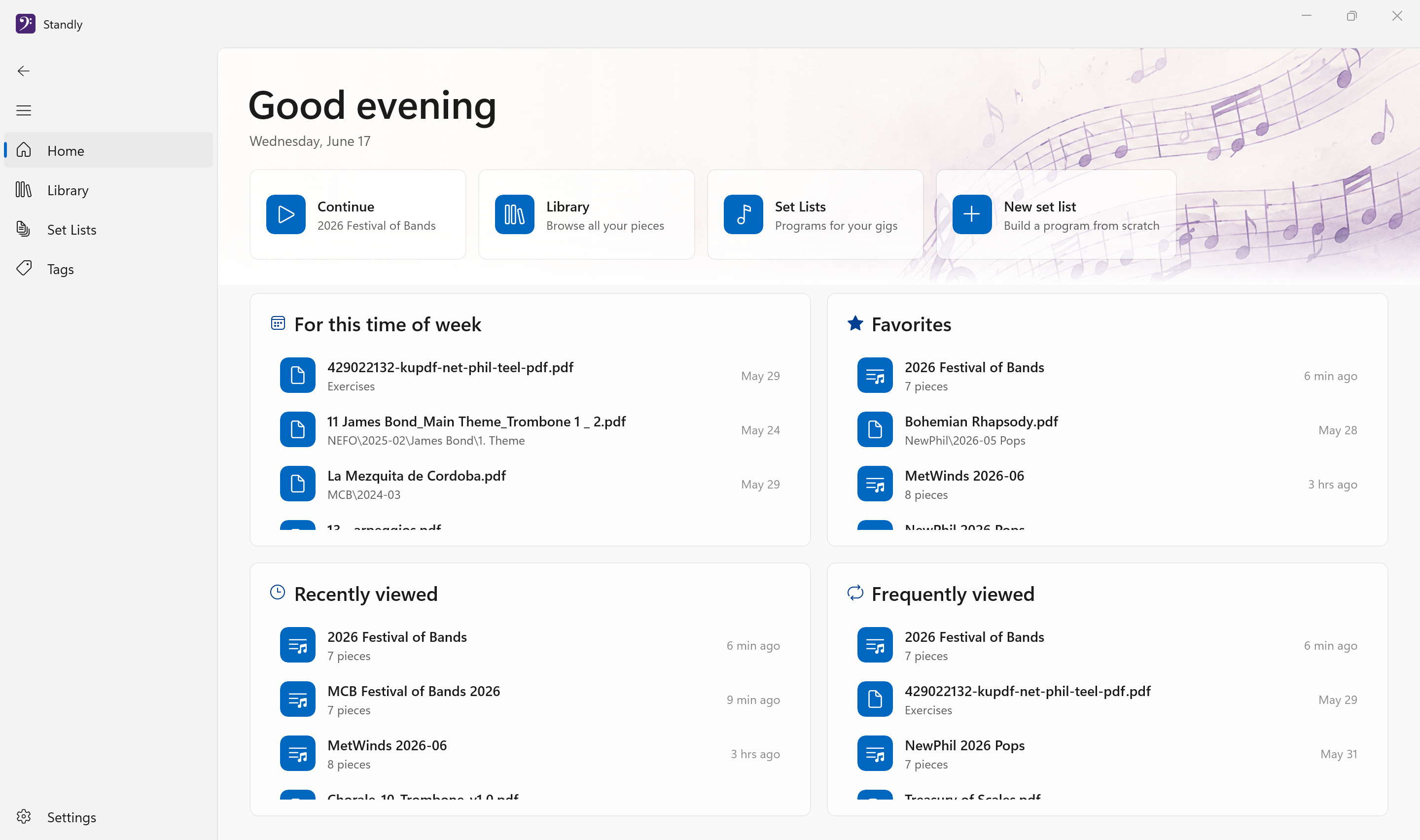
A digital music stand built for Windows, running on PCs, laptops, tablets, and 2-in-1s. It looks and feels like a real Windows app, so it's intuitive from the first launch. View PDFs and images, annotate with pen and touch, build setlists, and turn pages hands-free.
Most music apps on Windows are ports or web wrappers dressed in custom interfaces that don't behave like the rest of your PC. Standly is built natively for Windows, so it uses the controls, keyboard shortcuts, pen and touch, and high-DPI rendering you already know.
Made for the stage
Designed for musicians who perform with any Windows device, whether that's a tablet on a stand or a laptop at the piano.
PDFs and Images
Open PDFs and PNG, JPEG, TIFF, or BMP images, including scans and phone photos. Per-page rotation, zoom, and pan settings are remembered so your music is always framed right.
Pen & Touch Annotations
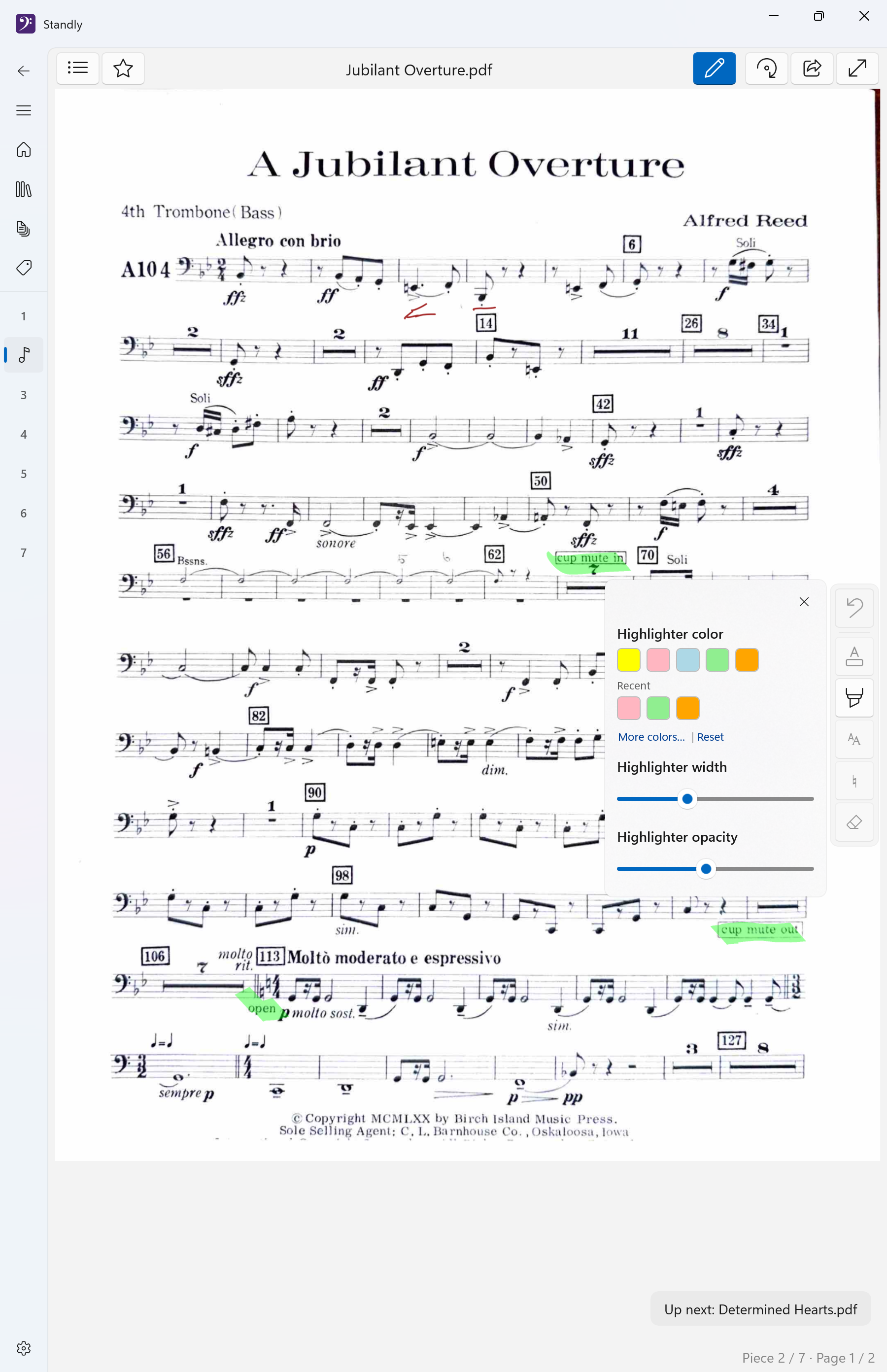
Mark up your music with ink, highlighters, and erasers. Annotations persist across sessions and follow your pages.
Setlists
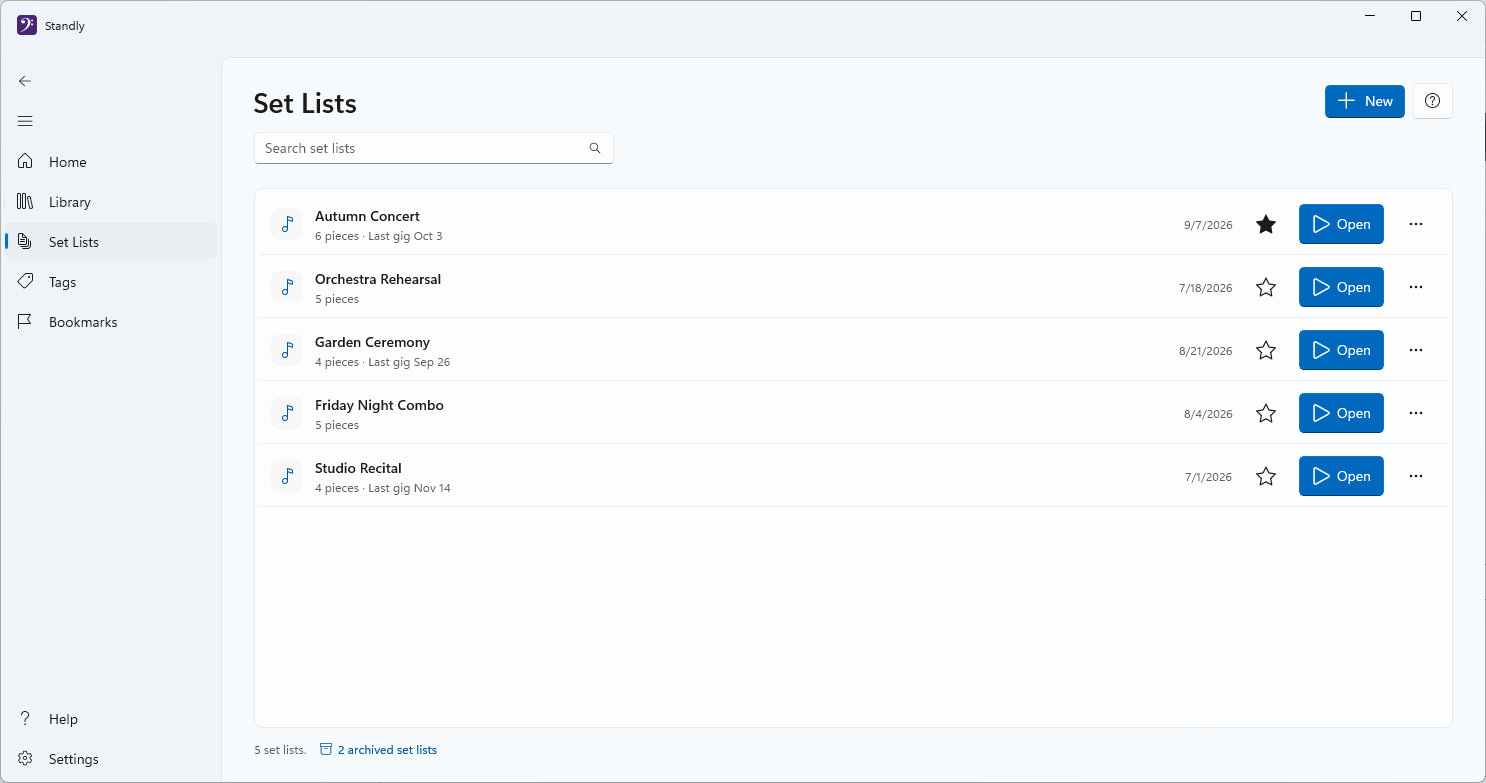
Group pieces in performance order. Restrict to specific page ranges and navigate seamlessly across documents.
Bluetooth Page Turning
Connect a Bluetooth foot pedal or remote for hands-free page turns. Customize button bindings to match your device.
Half-Page Navigation
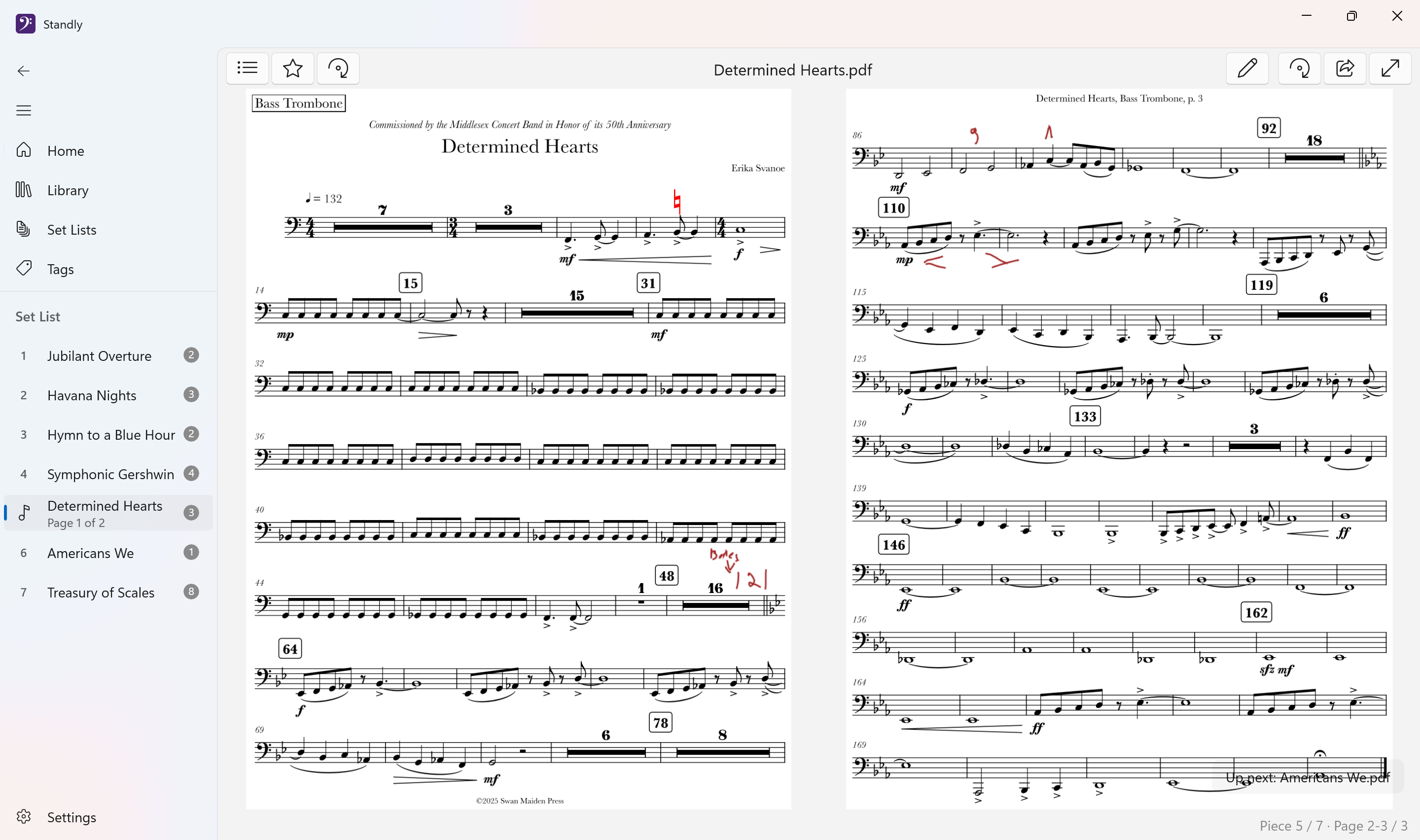
See the bottom of the current page and top of the next at the same time. Never lose your place during a page turn.
Tags
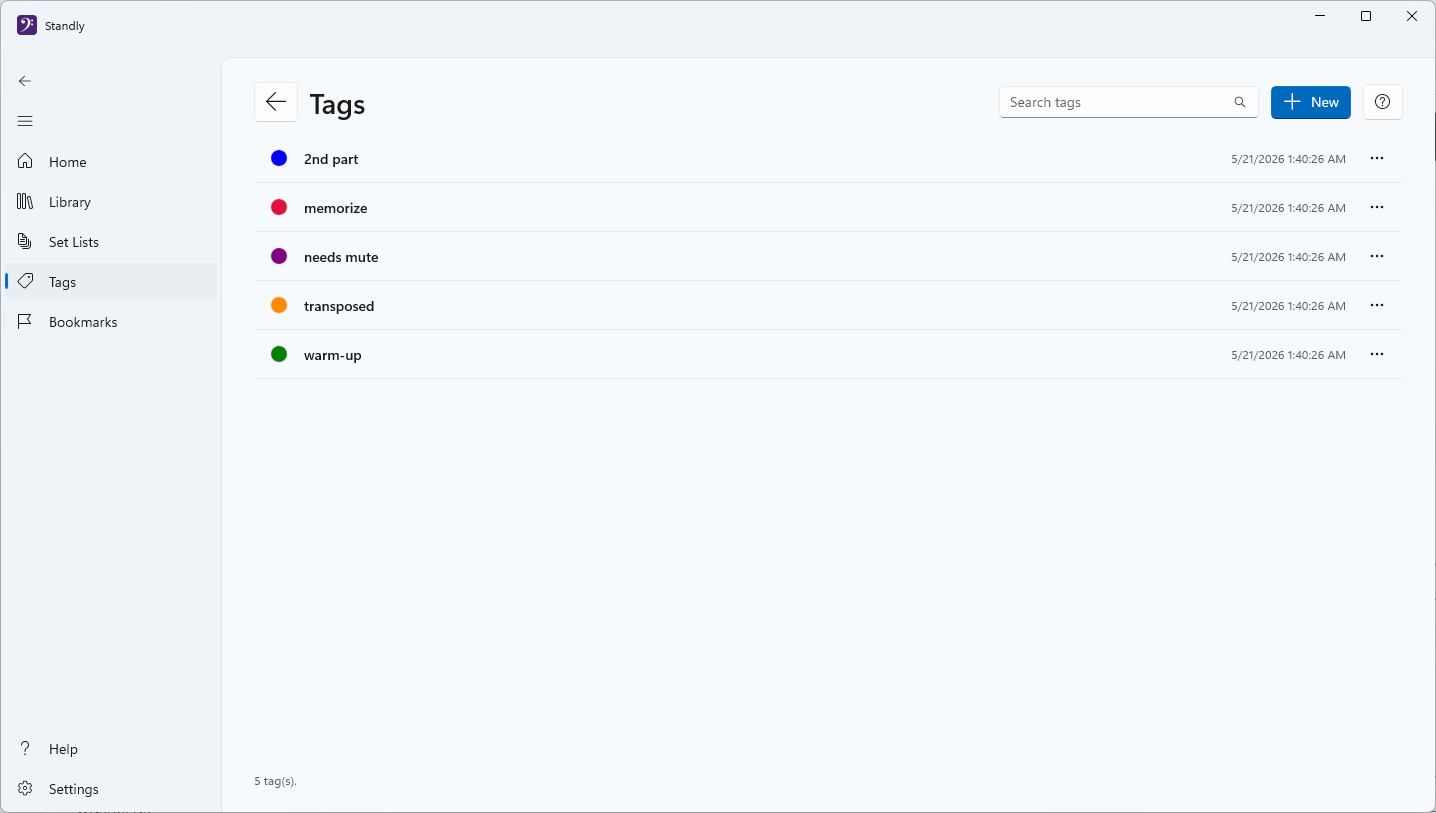
Label pieces and folders with your own color-coded tags, like “memorize”, “needs mute”, or “2nd part”. Filter the library by tag to pull up exactly the music you need.
Bookmarks
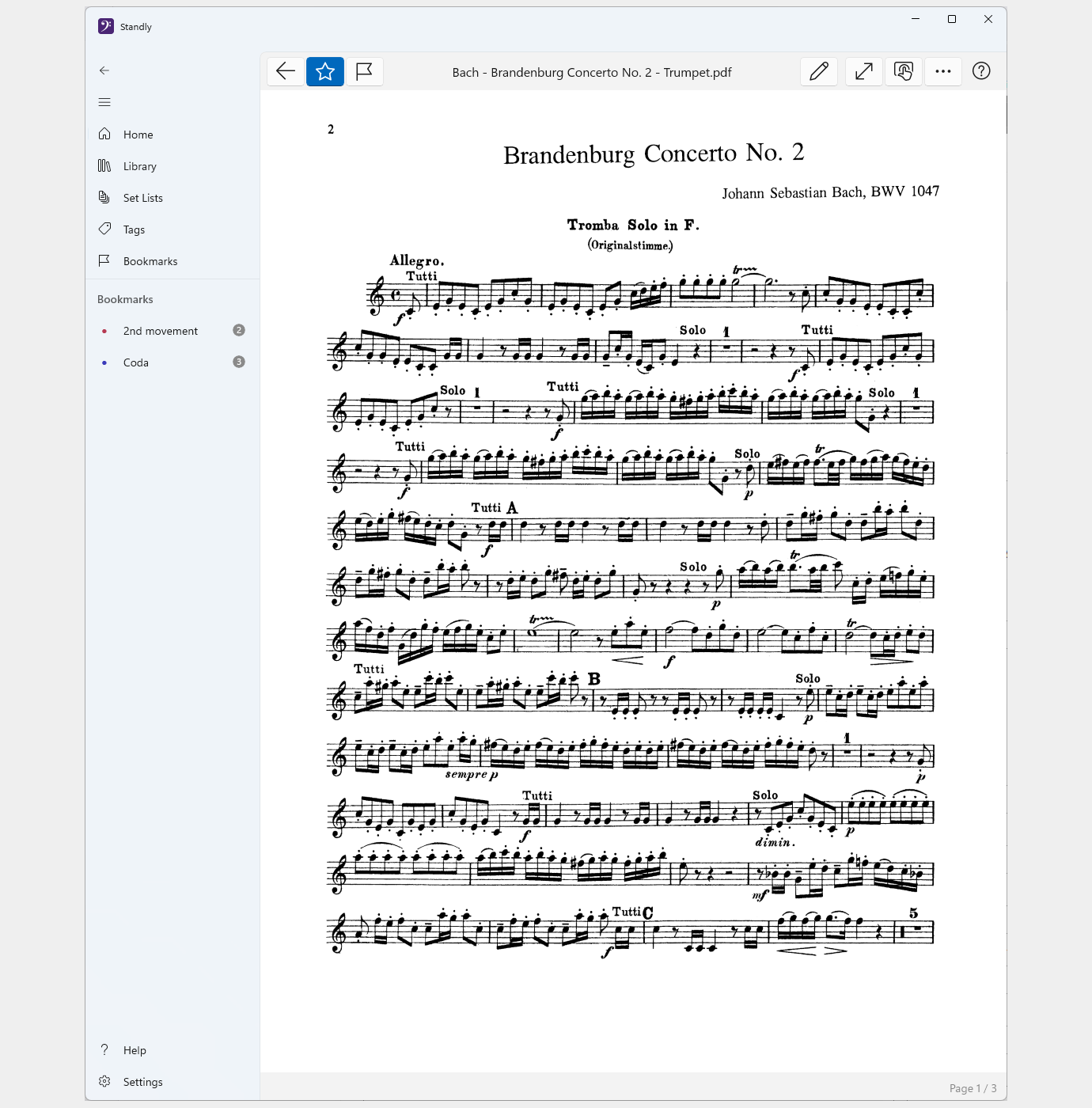
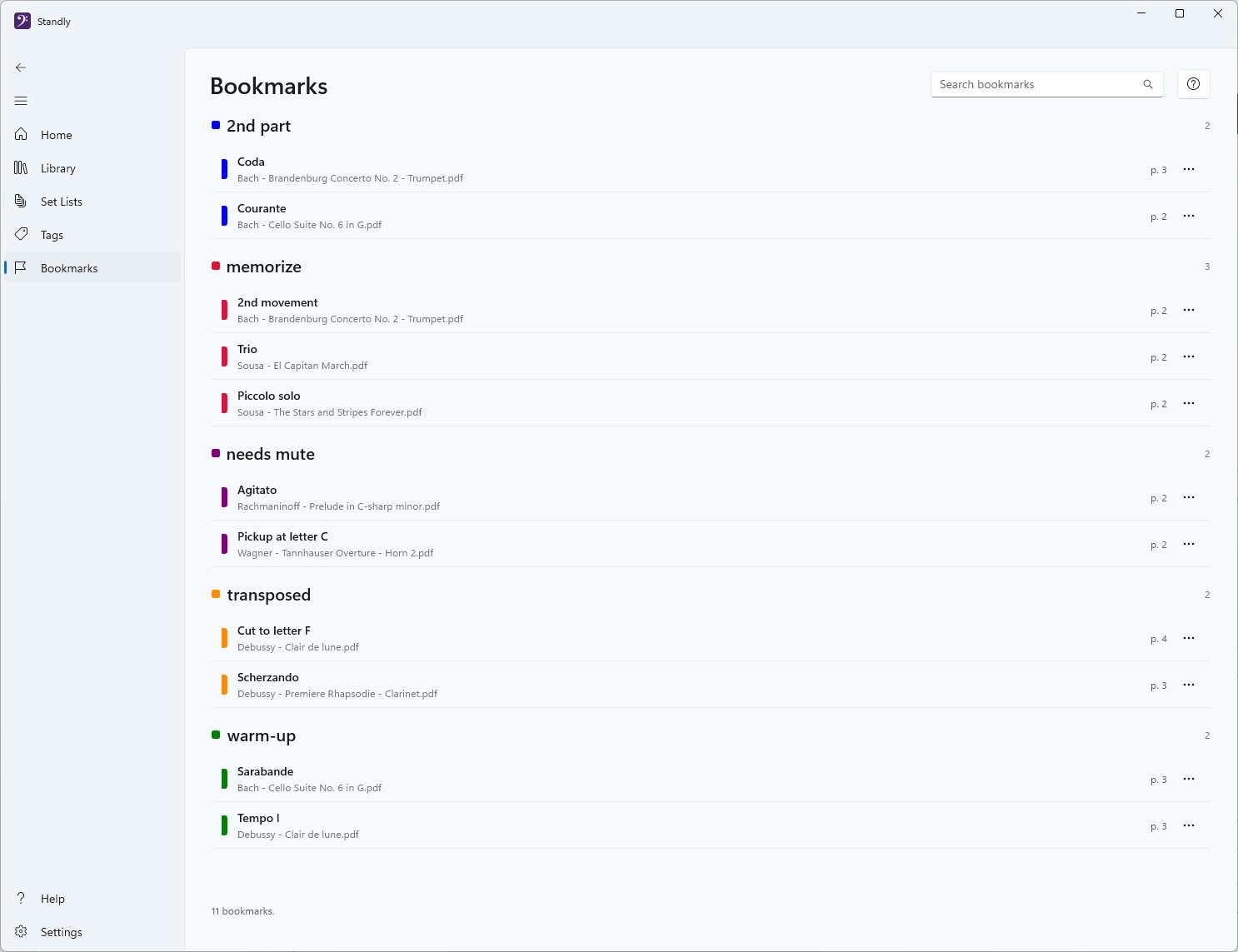
Flag the spots you actually jump to — a trio, a coda, a tricky entrance — and reach them in one tap. Bookmarks group by tag, so every “2nd movement” lands in one list.
Fully Offline & Private
No accounts, no cloud, no telemetry. Your music library and markings stay on your device, and crash reporting is off unless you turn it on.
See it in action
Built for Windows, optimized for performance on stage.
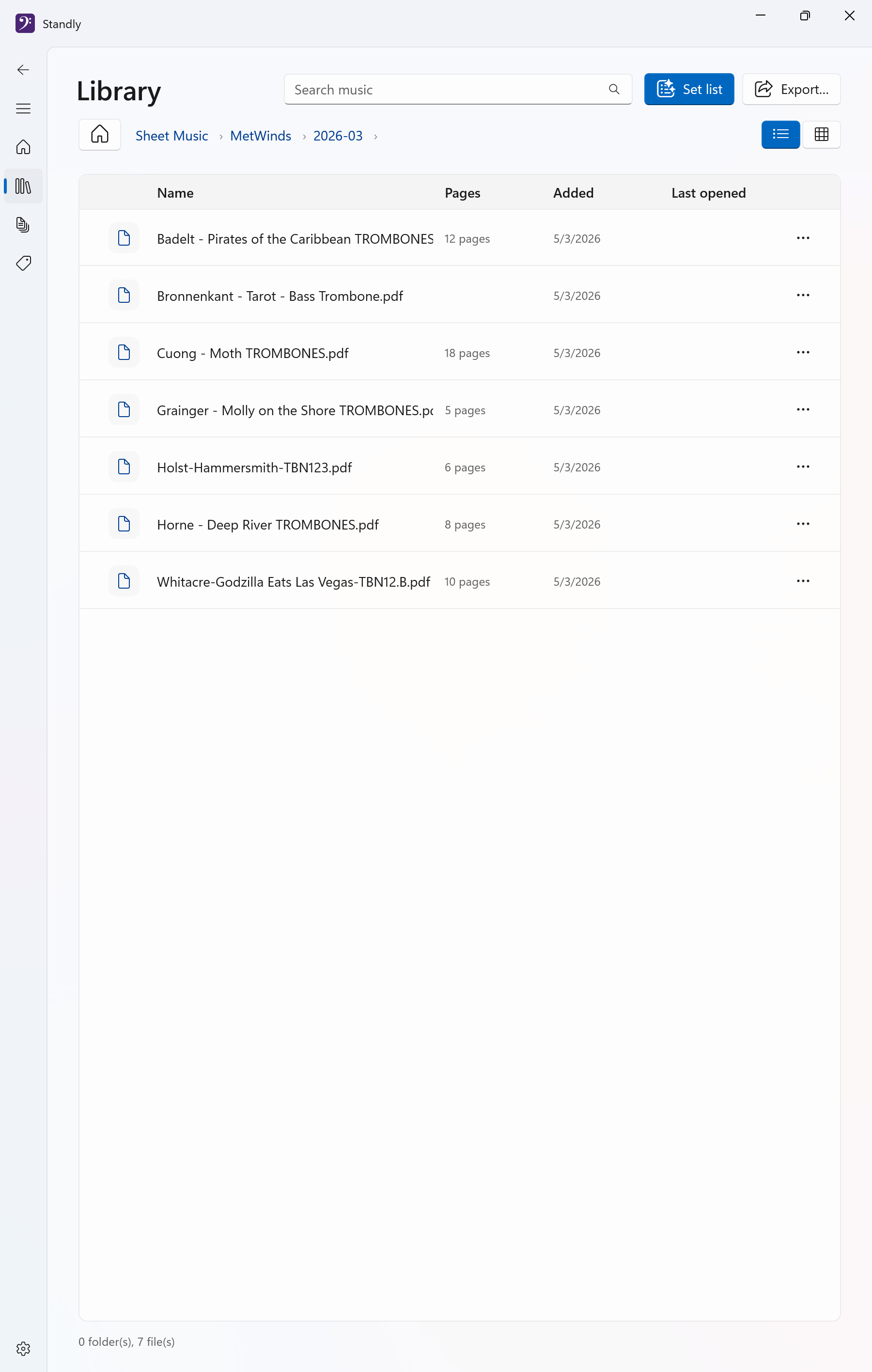
Read a full two-page spread with your set list one tap away.Your whole library in one place, fully offline.Keep a program per gig and pick up right where you left off.Tag pieces your own way, from “needs mute” to “memorize”.Or go single-page on a tablet, with bookmarks for the spots you jump to.Bookmarks group by tag, so every “2nd movement” is one list.
Mark it up like paper
Highlight passages and scribble reminders with pen, touch, or mouse. Your markings stay put, page after page.
Hands-free page turns
Tap a Bluetooth pedal and Standly slides to the next page without missing a beat.
Frequently asked questions
Everything you might want to know before you switch to Standly.
I use forScore on iPad. Is there a Windows equivalent?
Yes, that's exactly why we built Standly. If you've moved to a Surface or another Windows tablet, you don't have to give up a polished music-stand experience. Standly is a native Windows app with PDF viewing, pen and touch annotations, setlists, and hands-free Bluetooth page turns, built specifically for Windows rather than ported from another platform.
Does Standly work on a Surface Pro or other Windows tablet?
Yes. Standly runs on any Windows 10 or 11 device, including Surface Pro, Surface Go, and other tablets and 2-in-1s, as well as laptops and desktops. It works on Intel and AMD machines and on ARM-based Windows devices such as the Surface Pro X and Copilot+ PCs. It's designed for touch and pen first, with smooth high-DPI rendering, so it feels right with a tablet on your music stand.
How is Standly different from other sheet music apps?
Most music apps on Windows are ports or web wrappers with custom interfaces that don't behave like a normal Windows app. Standly is built natively for Windows, so it uses familiar controls, real keyboard shortcuts, and proper pen and touch support, with nothing new to learn. It's also fully offline and a one-time purchase, with no accounts and no subscription.
Is Standly a subscription or a one-time purchase?
Standly is a one-time purchase, with no subscription. Buy it once and the full music stand is yours. Down the road we may add optional advanced features (such as automatic music recognition) as a separate offering, but the music stand itself stays a one-time purchase.
Does Standly need an account or an internet connection?
No. Standly works offline, with no account or sign-in required. Your sheet music and annotations stay on your device, and there's no telemetry tracking what you play. The one thing that can ever leave your device is a crash report, and only if you turn that on — it's off by default. Once it's installed, you never need a connection to use it.
What file formats can Standly open?
Standly opens PDFs and image files: PNG, JPEG, TIFF, and BMP. Scans and phone photos of your music open just like PDFs, and a multi-page TIFF opens as a single piece. WebP files also work once you install Microsoft's free WebP Image Extension.
Can I mark up my music with a pen or touch, and do my annotations save?
Yes. Annotate directly on the page with ink, highlighters, and an eraser, using a pen, your finger, or a mouse. Your markings save automatically and stay with the music across sessions, so they're there every time you reopen the piece.
If I move or rename my files, do my annotations stay with them?
Yes. Standly tracks each piece by its content, not just its file path, so your ink, highlights, and notes stay attached even if you move a file to a different folder or rename it. We put a lot of work into this, so you can reorganize your library however you like without any fear of losing your markup. Your annotations follow the music.
Can I bring my annotations and markup from another app into Standly?
Yes. If you've already marked up your sheet music in another app, Standly can import your annotations, notes, and other markup, so switching doesn't mean starting over. We're actively expanding the list of apps and formats we support, and we'd love to hear what you use, so send us your requests.
Which Bluetooth page turners or foot pedals does Standly support?
Standly supports popular Bluetooth controllers including AirTurn and Flic, and is likely compatible with other Bluetooth page-turn devices as well. You can customize which button turns the page in each direction to match your device. The page turner guide covers current devices, setup, and troubleshooting.
Can I organize pieces into setlists for a performance?
Yes. Build setlists to put pieces in performance order, restrict them to specific page ranges, and move seamlessly from one document to the next, so your whole program flows without hunting for the next chart.
What do I need to run Standly?
Standly runs on Windows 10 (version 1809 or later) and Windows 11, on any PC, laptop, tablet, or 2-in-1, with both Intel or AMD and ARM-based processors supported. It works with mouse, touch, and pen, so a touchscreen is great for annotating but isn't required.
Can I try Standly before buying?
Yes, Standly comes with a free 30-day trial, so you can use it on your own device with your real music and your own pedal before deciding. After the trial, it's a single one-time purchase.
Ready to ditch the paper?
Standly is available on the Microsoft Store for Windows 10 and 11, on any PC, laptop, tablet, or 2-in-1.