Most advice online about reading music from a screen assumes an iPad. Windows has more choice, from $300 secondhand tablets to 16-inch convertibles. For reading music on a stand, a few things matter much more than the processor or the price tag. This guide covers those, then lists current models by what you care about most.
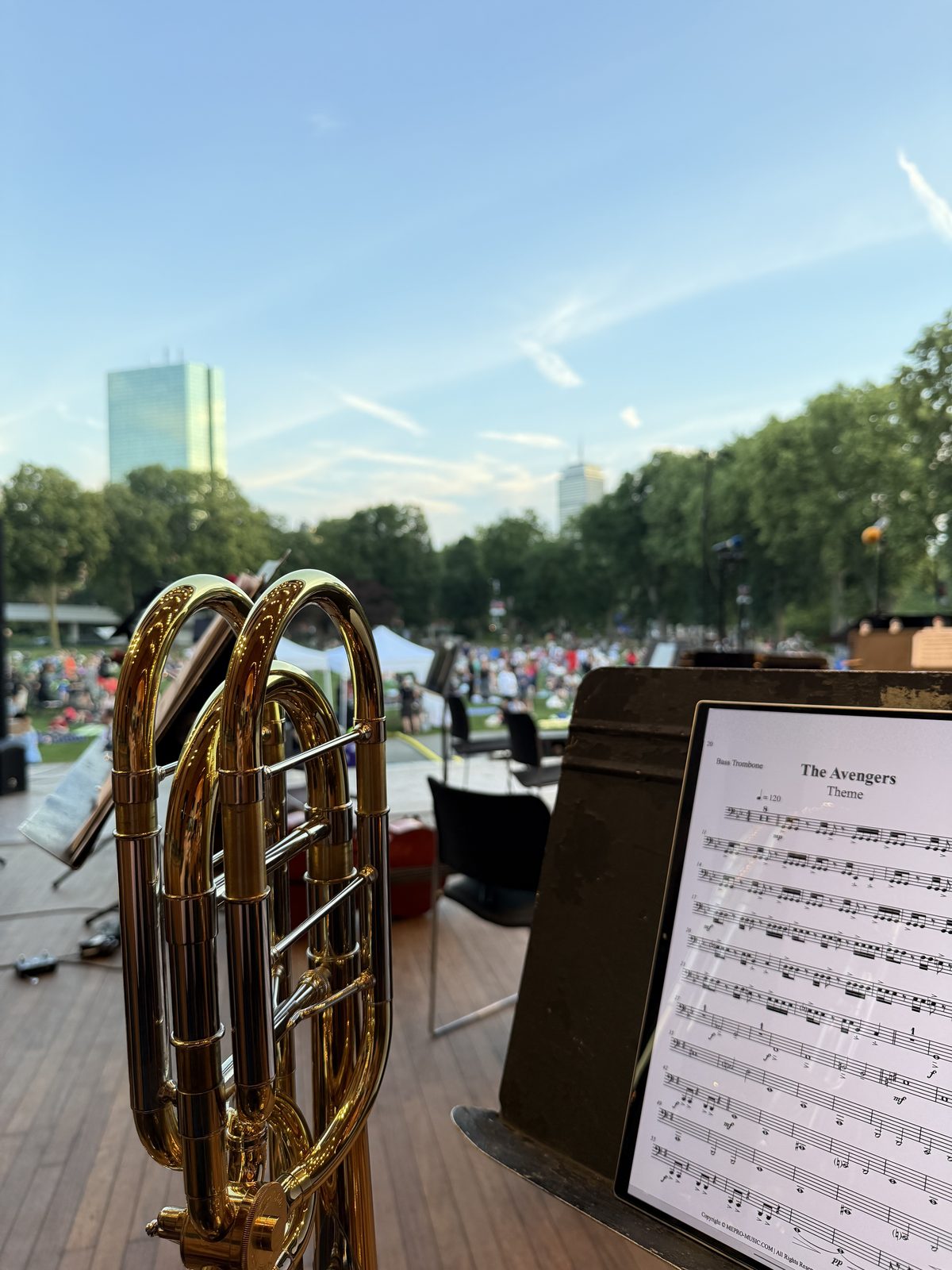
Choosing the right device is important, and I learned that the hard way. I play in a variety of groups: orchestras on bright stages or in the dark, and bands that play on the common on sunny days. Reading music in all of those places, without worrying every time I put the device on my music stand, takes the right device. If I'd bought an iPad for reading music, that's the only thing I would have done with it. I wanted a device I could use every day for many things, and a Windows 2-in-1 was the best fit. Then I went looking for software to read music on, and it was all bad. So I created Standly, the software I wanted to use.
Models and prices checked in October 2026.
Tablets, 2-in-1s, and laptops
Three kinds of Windows device work for reading music. They differ in what happens to the keyboard.
Tablets
A Windows tablet is a touchscreen with the computer built in behind it, like an iPad. Most come with a keyboard cover that attaches with magnets and pulls off. With the keyboard off, it's the lightest way to put a Windows screen on a stand. Microsoft's Surface Pro is the best-known example. These are sometimes called detachables.
2-in-1s
A 2-in-1, also sold as a convertible or "Flip" or "360" model, is a laptop whose hinge folds all the way back. The keyboard ends up behind the screen, and the touchscreen faces you like a tablet. Windows turns the keyboard off when it's folded back.
Compared with a tablet, a 2-in-1:
- Costs less for the same screen size.
- Comes in bigger sizes. Windows tablets stop at 14 inches. 2-in-1s go up to 16.
- Weighs more, because the keyboard is always attached. A 14-inch 2-in-1 weighs about half again as much as a 13-inch tablet.
- Can stand on its own on a table, folded into an upside-down V.
Regular laptops
A laptop that doesn't fold back works on a keyboard's music rack or a table, which suits pianists and organists. It's awkward on a music stand. Without a touchscreen, you turn pages with a key or a Bluetooth pedal instead of a tap.
HP and Dell renamed their lines in 2025. HP's Spectre and Envy are now OmniBook, and Dell's Inspiron 2-in-1 is now the Dell 14 Plus and 16 Plus 2-in-1. Older reviews use the old names.
What matters, in order
1. Screen size and shape
The size of the notes depends on the screen's size and its shape. A printed letter-size page is about 1.3 times as tall as it is wide. Held upright, the page fills the width of the screen. Any extra height goes unused. That means a narrower screen shape fits a page better, and a bigger screen shows bigger notes.
There are three screen shapes on current Windows devices:
- 3:2. Used by Surface Pro and a few others. The closest fit for an upright page.
- 16:10. The standard on almost every current 2-in-1 from HP, Lenovo, Dell, ASUS, and Samsung. A little taller than the page, with a small strip unused.
- 16:9. Mostly on budget and older 15.6-inch models. Much taller than the page when upright, so a lot of the screen goes unused. Sideways it is still too wide for two pages, so space goes unused either way.
To see exactly how big a page will look on a device you own or are considering, try the sheet music screen size calculator. The table below shows common sizes.
| Screen | Example | One page, upright | Two pages, sideways |
|---|---|---|---|
| 10.5", 3:2 | Surface Go (discontinued) | 69% of printed size | 51% each |
| 12", 3:2 | Surface Pro 12-inch | 78% | 59% each |
| 13", 3:2 | Surface Pro 13-inch | 85% | 64% each |
| 14", 16:10 | Most 14-inch 2-in-1s | 87% | 67% each |
| 15.6", 16:9 | Older and budget 15.6-inch laptops | 90% | 70% each |
| 16", 16:10 | 16-inch 2-in-1s | 100% | 77% each |
Letter-size page, Standly in Full screen, no margins trimmed.
Most printed parts have half an inch or more of blank margin. Standly's framing feature crops that away, which makes every number in this table bigger. The calculator shows by how much.
I have fairly good eyes. On my 13.3-inch Envy, two pages sideways come out at 64% of printed size, which is too small for me. I only read that way in a pinch. On my 15.6-inch Spectre, two pages sideways come out at 70%, and that's noticeably better. The extra size is what helps. Two pages side by side are close to a 3:2 shape, so a 15.6-inch screen with a 3:2 or 16:10 shape would do even better.
2. Brightness
Screen brightness is measured in nits. Indoors, almost any screen is bright enough. Under stage lights or outdoors, it starts to matter. Reviewers generally use these rough figures:
- About 300 nits: fine indoors. Washes out near a window or under strong stage lighting.
- 450 to 600 nits: usable outdoors in shade.
- About 1,000 nits: readable in direct sun.
Few Windows devices reach 1,000 nits on a full white page. Most consumer tablets and 2-in-1s top out around 500 to 600. The exceptions are business and rugged models, covered under brightest for outdoor gigs below.
My HP Envy x360 13 has an OLED screen rated 400 nits. It's readable in direct sunlight, barely, and I have to take my sunglasses off to read it. Use that as a reference point: a screen rated 300 nits will be harder outdoors, and one rated 600 will be noticeably easier.
Brightness also matters if your eyes do not handle glare or low contrast well. Players with cataracts, for example, may find a dim screen hard to read even indoors. If that's you, put brightness at the top of your list.
Watch out for HDR numbers. Many spec sheets list "peak" or "HDR" brightness, often 1,000 nits or more. That figure applies to a small bright spot in a video for a few seconds. Sheet music is a full white page. The number that matters is the full-screen or SDR brightness, which is often half the HDR figure or less. OLED screens also dim themselves when most of the screen is white. If a spec sheet only gives an HDR figure, look for a review that measures brightness.
Brightness costs battery. The screen is the biggest draw on the battery while you read music. Running at full brightness through a three-hour rehearsal can drain a battery that would otherwise last all day. Use only the brightness you need at the time: turn it up for the outdoor gig, and back down for the rehearsal room.
3. Polarized sunglasses
LCD screens give off polarized light. So do most OLED screens, because of the anti-glare layer on top. Polarized sunglasses block light polarized in one direction. At some angle, the two line up and the screen goes dark or completely black. Turning the screen 90 degrees fixes it.
For sheet music, that's a problem, because you don't get to choose the angle. If the screen goes black when upright, you're stuck with two pages sideways or no sunglasses. Which orientation goes dark varies from model to model. Manufacturers rarely list it, and I could not find a current Windows tablet or 2-in-1 that advertises a screen designed to avoid it.
If you play outdoor gigs in polarized sunglasses, test before you buy:
- Open a white page with the device upright.
- Put on your sunglasses, or hold one lens in front of the screen.
- Rotate the device, or the lens, slowly through a quarter turn. Watch for the screen dimming sharply.
- Repeat with the device sideways.
If the device you want fails the test, there are two workarounds. Non-polarized tinted sunglasses avoid the problem completely. Some screen protectors are made to work with polarized sunglasses, but most ordinary matte protectors don't help.
My Envy's OLED screen stays readable in both orientations with my polarized sunglasses. I know other players who have been surprised by a black screen at an outdoor gig. It's worth five minutes in a store, or the first day of a return window, to check.
4. Weight
A folding wire stand holds a book of music. It does not always hold a three-pound laptop with its keyboard folded behind it. I've seen colleagues put laptops and full-size tablets on wire stands, and it always looks risky. Weight also decides whether the stand tips when you bump it.
- Tablets like the Surface Pro weigh 1.5 to 2 pounds once the keyboard comes off.
- 14-inch 2-in-1s weigh about 2.8 to 3.4 pounds, because the keyboard stays attached.
- 16-inch 2-in-1s weigh 3.7 to 4.5 pounds. That's a lot for a wire stand. A solid orchestra-style stand handles it better.
My Envy weighs about 3 pounds. I use a Manhasset Voyager stand, which holds it and my heavier 15.6-inch Spectre comfortably. Full-size stands aren't automatically safe, though. Some places I play provide stands, and I've ended up with ones that keep sliding down, even with the Envy, because the tension mechanism is worn out. If you play where stands are provided, check the one you get before you trust it with your device.
5. A pen
A pen is optional. You can mark up music in Standly with a finger, and many players never write on their parts. If you do mark breaths, fingerings, or cuts, a pen is much more precise than a finger. Some devices include one. On others, including Surface Pro, it's sold separately. Check which pen a device supports before buying one, because they are not all interchangeable.
The pen doesn't have to be expensive. I use inexpensive generic pens from Amazon with my Envy. A Standly user with a Surface Pro tells me the Surface pen works well with it.
Choose a device based on what matters most
Each section below includes a few current models that do well on one thing. Weigh it against the other four before you buy.
Biggest notes
A 16-inch 2-in-1 shows an upright letter page at full printed size. All of these are heavy for a wire stand.
- Samsung Galaxy Book5 Pro 360 (16", 16:10 OLED, 3.7 lb). The S Pen is included. List price $1,699, often discounted.
- HP OmniBook X Flip 16 (16", 16:10, 4.15 lb). OLED options. About $650 to $1,000.
- Lenovo Yoga 7i 2-in-1 16" (16", 16:10 OLED, rated 500 nits). About $1,100.
There are no Windows tablets larger than 14 inches on sale. For a big screen, it has to be a 2-in-1 with an attached keyboard.
Lightest on the stand
- Surface Pro 12-inch (12", 3:2, 1.5 lb). The second edition ships in October 2026 at about $1,150. Its notes are smaller: 78% of printed size upright.
- Surface Pro 13-inch (13", 3:2, 2 lb). About $1,350, or $1,650 and up with OLED.
- ASUS ProArt PZ13 (13.3", 16:10 OLED, 1.9 lb). Keyboard cover included. About $1,100 to $1,300.
Brightest for outdoor gigs
- Surface Pro 13-inch, rated 600 nits on both the LCD and OLED versions. One review measured the OLED at about 580 nits and found it highly reflective in sun.
- Surface Pro 12-inch, second edition, rated 500 nits, with an anti-reflective screen.
- ASUS ProArt PZ14 (14", 16:10 OLED), measured around 500 nits. Expensive, at about $2,500.
A few devices go brighter, up to 1,000 nits or more:
- HP Elite x360 830 and 1040 (13.3" and 14" business 2-in-1s). Several recent generations offered a 1,000-nit screen, which HP calls Sure View Reflect. Common as refurbished business laptops. The bright screen has a built-in privacy filter, so it's hard to read from the side. Check the listing for "1000 nits," because most units have a dimmer screen.
- Rugged tablets such as the Dell Latitude 7230 Rugged Extreme (12", rated 1,200 nits). Made for field work in direct sun. Heavy and expensive new, but they turn up used.
Many 2-in-1s are rated 300 nits, including the Dell 14 Plus 2-in-1, the ASUS Vivobook Flip models, and the HP OmniBook 5 Flip. Those are fine indoors and hard to read outside. Remember to test any of these with your sunglasses.
Lowest cost
Some features push the price up much more than others:
- Low weight. Tablets cost the most per inch of screen. A 12-inch Surface Pro costs more than many 16-inch 2-in-1s.
- OLED and high brightness. On the 13-inch Surface Pro, OLED adds about $300.
- Faster processors and more memory. These add hundreds of dollars and do little for reading music.
Screen size matters less than you might expect. A 16-inch 2-in-1 often costs less than a 13-inch tablet. If your budget is tight, a bigger, heavier 2-in-1 or a used tablet gets you the most screen for the money.
- A used Surface Pro 7 or 8 (12.3" or 13", 3:2). About $250 to $500 refurbished. Good screen shape for the money. See buying used below.
- Chuwi Hi10 Max (13", 3:2, about $400 new). The right screen shape and a sharp display at a low price. Chuwi is a smaller brand with a mixed record on quality control, and its brightness is not published. Buy it somewhere with easy returns.
- 14-inch budget 2-in-1s such as the HP OmniBook 5 Flip 14 and Lenovo IdeaPad 5 2-in-1. About $400 to $650 on sale. 16:10 screens, but rated only 300 to 400 nits.
Avoid budget models with 4 GB of memory, eMMC storage, or a 16:9 screen. They work, but slowly, and a 16:9 screen wastes a lot of space with music upright.
Pen in the box
- Samsung Galaxy Book5 Pro 360 includes the S Pen.
- HP OmniBook Ultra Flip 14 (14", 16:10 OLED, 3 lb) includes HP's Tilt Pen. About $1,050 to $1,900. This is the successor to the Spectre x360.
Specs that matter less than you'd think
- Processor. Displaying a PDF is light work. Even budget Intel N150 chips handle it. A faster chip helps mostly with large scanned files and Windows updates.
- Memory. 8 GB is enough. 16 GB is comfortable. Avoid 4 GB.
- Storage. A few thousand pages of PDFs fit in a few gigabytes. Any SSD is fine. Avoid eMMC storage on cheap models, which makes Windows slow.
- Intel, AMD, or Snapdragon. All current Surface Pros use Qualcomm Snapdragon (ARM) chips. Standly runs natively on ARM, Intel, and AMD. Bluetooth page turners use the standard Bluetooth support built into Windows, so they work the same on all three.
- Battery life. Reading music uses little power, but a bright screen uses a lot. Check reviews for battery life at high brightness, not the manufacturer's best case.
Buying used
A used Surface Pro is often the best value for reading music. The screen shape is right, and the 12.3-inch and 13-inch models show a page at 80 to 85% of printed size. Microsoft stopped making the Surface Go in 2026, but used ones are common. The 10.5-inch Go screen is small for music, at about two thirds of printed size.
- Make sure it runs Windows 11. Standly runs on Windows 10, so a device you already own with Windows 10 works. If you're buying, only consider one that runs Windows 11, because Windows 10 no longer gets security updates. The Surface Pro 7 and later are fine. The original Surface Go is not supported by Windows 11.
- Check the battery. If you're buying in person, run
powercfg /batteryreportin a terminal and compare the design capacity with the full charge capacity. Under about 70% means a short rehearsal. Online, buy from a seller that lists battery health or accepts returns. - Look for a swollen battery. A screen lifting away from the case at one edge, or a device that rocks on a flat table, means the battery is swelling. Do not buy it.
- Avoid 4 GB models. Many base Surface Go units have 4 GB of memory and slow eMMC storage.
Outdoor gigs: heat
Tablets protect themselves from heat by dimming the screen, slowing down, and eventually shutting off. Microsoft rates Surface devices for air temperatures up to 95°F. Sun on the screen heats the device much faster than the air does. A tablet in direct sun on a mild day can still overheat.
- Put the stand in shade when you can, or angle the screen away from the sun.
- Don't charge it in the sun. Charging adds heat.
- Turn the brightness down between tunes if you can.
I've never had a heat warning, but I've noticed my laptops getting hot in the sun and moved them out of it.
Windows or iPad?
An iPad's 4:3 screen fits an upright page better than any Windows device. A 13-inch iPad Pro shows a letter page at about 92% of printed size. iPads are also the most common choice among musicians, so more music apps and accessories target them.
A Windows device makes sense if you already own one, if you want a bigger screen than 13 inches, or if you want the same device for school, work, and music. Used Surface Pros also cost less than a used iPad of the same size.
Before you buy, check the screen size and shape in the screen size calculator. To turn pages without taking your hands off the instrument, see the page turner guide.